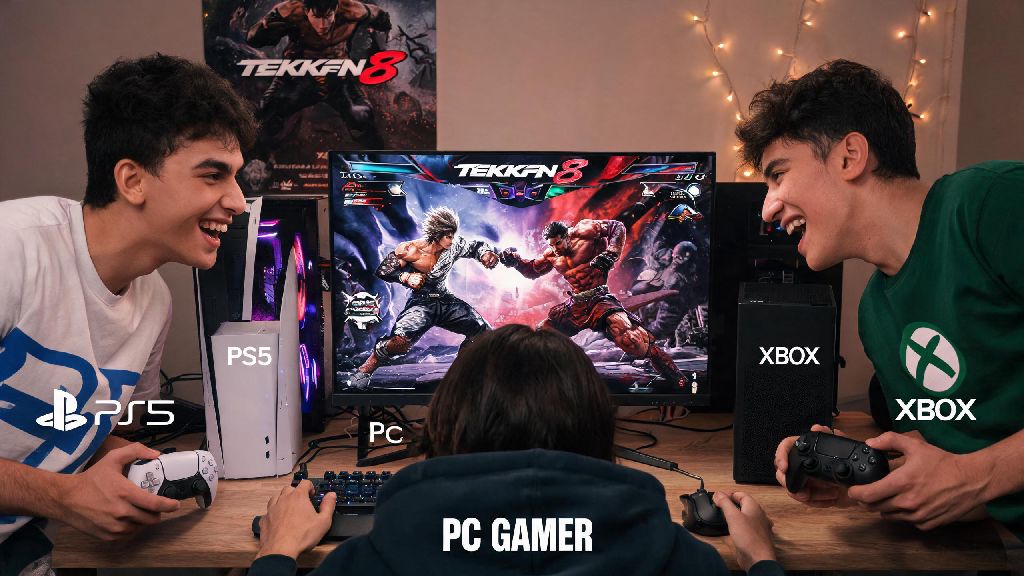
There’s nothing worse than hyping up a Tekken 8 session with your friend group, only to realize half of you play on PS5 and the other half are on PC or Xbox. For years, platform locked multiplayer split fighting game communities, but Bandai Namco finally changed that with full crossplay support for Tekken 8. If you’re confused about setup, you’re not alone – the settings are a bit hidden if you don’t know where to look. This guide breaks down exactly how to crossplay Tekken 8, fix common snags, and start playing with your friends no matter what device they own.
How to Enable Crossplay in Tekken 8 for All Platforms
Before you can match with players on other devices, you have to make sure crossplay is turned on both at a system level and in the game’s own settings. A lot of players skip the system step and wonder why the feature isn’t working, so don’t skip this part.
For PlayStation 5 users, head to your console’s Settings > Users and Accounts > Privacy > Online Experience, then make sure "Cross-Platform Play" is set to allowed. Then launch Tekken 8, go to Settings > Online Settings, and toggle "Crossplay" to On. You need to enable crossplay both in your console system settings and Tekken 8 in-game settings for the feature to work.
For Xbox Series X/S users, open your console settings > Account > Privacy & online safety > Xbox privacy > View details & customize > Communication & multiplayer, then set "You can join cross-network play" to Allow. Once that’s done, launch Tekken 8, head to Online Settings and confirm crossplay is toggled on.
PC users have it a bit simpler, since crossplay is enabled by default on both Steam and Epic Games versions as long as you’re signed into your Bandai Namco account. You can double check it’s turned on by navigating to the Online Settings tab in the Tekken 8 main menu, just to be safe.
How to Invite Friends From Other Platforms to Tekken 8 Matches
Enabling crossplay is only half the battle. If you want to play with specific friends on other platforms, you can’t just send an invite through your regular platform friend list – you’ll need to use your Bandai Namco ID, or BNID for short.
Your BNID is a unique account you create when you first launch Tekken 8, and it’s tied to all your in-game progress for crossplay features. You can find your BNID by opening the friends tab in the main menu, and it will be displayed at the top of the screen, with a four-digit numerical suffix at the end. Always share your unique Bandai Namco ID (not your platform gamertag) when adding crossplay friends, otherwise your friend won’t be able to find you.
Once you have your friend’s BNID, adding and inviting them is straightforward:
I’ve had dozens of friends reach out asking why they can’t send invites to their PS5 friends when they’re on Xbox, and 90% of the time the issue is they shared their Xbox gamertag instead of their BNID. Double check that ID before you send it, it saves a lot of frustration.
Common Tekken 8 Crossplay Issues and Quick Fixes
Even if you follow all the setup steps perfectly, you might run into occasional issues with crossplay. Most of these are simple to fix, and you don’t need any technical knowledge to resolve them.
The most common issue is invites not showing up for either player. This usually happens if one of you hasn’t restarted the game since enabling crossplay, or if your BNID friend request is sitting in a hidden queue. If crossplay invites are not arriving, ask both players to restart their game and check their BNID friend request queue to make sure the request was accepted properly.
Lag and input delay are another frequent complaint with crossplay matches, especially if one player is on Wi-Fi. Crossplay matches route through Bandai Namco’s servers instead of peer-to-peer in most cases, so a weak connection on one end can ruin the match for everyone. Avoid using Wi-Fi for crossplay matches if you can, as wired Ethernet connections drastically reduce input lag across different platforms. If you have to use Wi-Fi, move as close to your router as possible and disconnect other devices from the network while you play.
If you still can’t see any crossplay players in ranked or casual queues, check that you have the latest game patch installed. Bandai Namco regularly pushes small updates to fix crossplay server bugs, so an outdated game version can break the feature entirely.
What You Can and Can’t Do With Tekken 8 Crossplay
Tekken 8’s crossplay feature is fairly robust, but it has limitations that are important to know before you get started. Knowing these will save you a lot of disappointment later on.
First, the good stuff: you can play almost every online game mode with players on other platforms. That includes ranked matches, casual quick matches, custom lobbies, team battles, and even the online co-op arcade mode. You can also view crossplay leaderboards to see how you stack up against players across all devices, not just your own platform.
There are a few key restrictions though. The biggest one is that cross-save is not supported at launch, and Bandai Namco hasn’t announced any plans to add it in the future. Tekken 8 does not currently support cross-save functionality, so your rank, unlocks, and in-game purchases are tied to your original platform. If you bought the game on PS5 and decide to switch to PC later, you’ll have to start all over from scratch.
Some third-party tournament lobbies also disable crossplay by default, to keep competition fair for players on the same device. If you’re joining a tournament lobby, double check the settings first to see if crossplay is allowed, otherwise you might not be able to join if you’re on a different platform than the host.
Crossplay has completely transformed the Tekken 8 community, making it easier than ever to connect with players from all over the world no matter what device they use. You don’t need any special tools or complicated setup to get started, just a few quick adjustments to your settings and your BNID to add friends. Next time you’re planning a game night with your friend group, don’t let platform differences stop you – now that you know how to crossplay Tekken 8, you can jump into matches together in minutes.