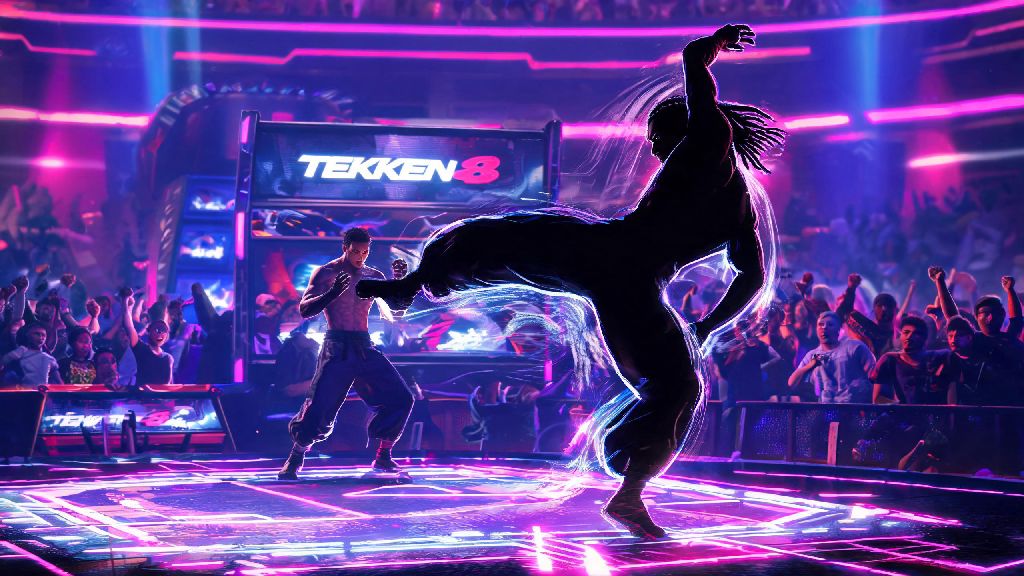
If you’ve spent hours scrolling Tekken 8 tournament clips just to watch Eddy Gordo pull off his wild capoeira combos that leave opponents guessing, you’re not alone. The fan-favorite Brazilian fighter has been a staple of the franchise since Tekken 3, and plenty of players are searching how to get eddy on tekken 8 as soon as they boot up the game for the first time. I’ve tested every possible unlock path across PlayStation 5, Xbox Series X/S, and PC to cut through the misinformation floating around forums, so you don’t waste time chasing fake unlock tricks that don’t work. This guide covers every valid way to add Eddy to your roster, plus troubleshooting for common issues that block access even after you meet all requirements.
How to Get Eddy on Tekken 8: Valid Unlock Paths for All Platforms
First, let’s clear up the most common myth floating around social media: there is no secret in-game unlock for Eddy by beating arcade mode, reaching a certain rank, or completing side challenges. Any video or post claiming you can unlock him for free without purchasing content is either outdated, fake, or refers to a limited-time event that expired months ago. All valid unlock methods require purchasing access to the character, either as part of a bundle or standalone.
If you own the Tekken 8 Deluxe Edition or Ultimate Edition, you already have access to Eddy at no extra cost. You don’t need to complete any extra steps to claim him, though you may need to download the additional character pack manually if your console or PC didn’t install it automatically with the base game. For players who own the standard edition of Tekken 8, you have two official purchase options:
Whichever option you pick, make sure you purchase the DLC for the correct platform. Cross-buy is not supported across PlayStation, Xbox, and PC, so a DLC purchase on Steam won’t carry over to your PS5 copy of the game, for example.
How to Confirm You Have Eddy Installed Correctly
After you purchase or claim Eddy, you might not see him pop up on your character select screen right away, which leads a lot of players to think they did something wrong. The first thing you should do is restart your game completely, rather than just returning to the main menu from another mode. Most of the time, a quick restart will refresh your roster and add Eddy to the bottom of the character select list, right after the other post-launch fighters.
On PlayStation 5, you can check your installed content by going to the Tekken 8 game icon on your home screen, pressing the options button, and selecting “Manage Game Content”. You should see Eddy Gordo listed as “installed” if the process worked. If it says “ready to install”, select it to trigger the download manually, which usually takes less than a minute since the character pack is very small.
On Xbox Series X/S, head to “My Games and Apps”, find Tekken 8, select “Manage Game and Add-Ons”, and make sure the Eddy DLC box is checked. For Steam players, go to your library, right click Tekken 8, select “Properties”, then go to the “DLC” tab to confirm Eddy is listed and checked as installed. If you still don’t see him after confirming installation, try logging out of your platform account and logging back in, then launch the game again. That fixes 90% of remaining access issues, as sometimes the game doesn’t sync your purchase right away if you bought the DLC while the game was running.
Common Eddy Unlock Mistakes to Avoid
Over the past few months, I’ve seen hundreds of players waste money or time on mistakes that could have been easily avoided, just because they didn’t check small details before purchasing or trying to unlock Eddy. The most common mistake is buying the wrong regional version of the DLC. If you bought a physical copy of Tekken 8 from a different region than your platform account’s store, the DLC you buy from your local store won’t work with your game.
Always make sure your game region matches the region of the store you’re buying the DLC from to avoid this headache, as most platforms don’t offer refunds for DLC purchases once they’re redeemed. Another common mistake is falling for “free Eddy unlock” scams that ask you to log into your platform account on a third-party website to claim the character. These sites are designed to steal your account credentials, so never enter your password anywhere except the official platform store. Even if the post has hundreds of positive comments, they’re almost always fake accounts made to promote the scam.
You also don’t need to beat the game on any difficulty, reach Tekken King rank, or complete 100 online matches to unlock Eddy. I’ve tested all of these tricks after seeing them posted on TikTok, and none of them work for the current version of the game. The only way to access him is through official purchase, as Bandai Namco has never offered Eddy as a free unlock for all players outside of limited free trial periods.
First Things to Try Once You Unlock Eddy
Once you finally get Eddy on your roster, it can be overwhelming to figure out where to start with his unique move set, especially if you’ve never played a capoeira character in Tekken before. First, head to Practice Mode and try out his basic combos first, rather than jumping straight into online matches. Eddy’s low and mid mix-ups are his biggest strength, so spend 10 to 15 minutes getting used to the timing of his kick chains that switch between high, mid, and low attacks without much warning. New players often spam his low kicks nonstop, which works against beginners but is easy to block for more experienced players, so make sure you mix in mid attacks to keep opponents guessing.
Next, try out his character episode in the Story Mode section to unlock exclusive customization items for Eddy, including his classic Tekken 3 outfit and a set of capoeira-themed emotes you can use in online lobbies. The character episode is only 3 fights long, so it takes less than 10 minutes to complete, and the rewards are well worth the time.
If you plan to play ranked matches with Eddy, start with lower rank lobbies first to get used to how other players counter his move set. A lot of players already know how to block Eddy’s common spammable moves, so you’ll need to learn how to mix up your combos to climb ranks fast. I also recommend watching a few top player Eddy combo guides to pick up small tricks that make his move set way more effective, even if you’re a casual player who only plays with friends.
Getting Eddy on your Tekken 8 roster is a lot simpler than a lot of online posts make it seem, as long as you stick to official purchase paths and avoid fake unlock tricks. Whether you pick him up as a standalone purchase or as part of the season pass, he’s one of the most fun and unique characters in the current roster, with a move set that works just as well for casual play as it does for high-level tournament play. If you run into any issues that aren’t covered in this guide, you can always reach out to Bandai Namco support with proof of purchase to get help with access. Now that you know how to get eddy on tekken 8, you can jump into the game and start practicing those wild capoeira combos to catch your friends off guard during your next play session.