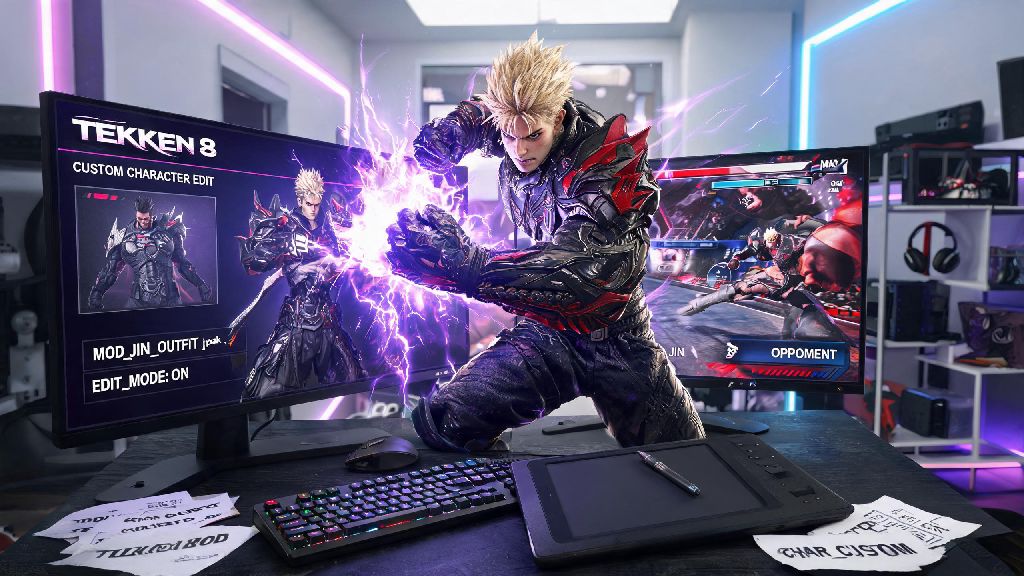
If you’ve logged hundreds of hours in Tekken 8 and want to add a personal touch to your favorite fighting game, learning how to make mods for Tekken 8 is one of the most rewarding ways to deepen your play experience. Mods can range from simple color swaps for your main character’s outfit to full custom voice packs, UI overhauls, and even balanced custom move sets for local play. A lot of new players assume modding is only for people with advanced coding or design skills, but the truth is, with the right tools and basic guidance, anyone can create a fun, functional mod in just a couple of hours.
Prerequisites You Need Before Starting Tekken 8 Modding
Before you dive into editing game files, there are a few non-negotiable tools and assets you’ll need to gather first to avoid frustration down the line. First, you’ll need a legitimate PC copy of Tekken 8 purchased through an official platform. Pirated copies often have modified file structures that don’t work with standard modding tools, and they carry a high risk of malware that can compromise your device. You’ll also need to make sure you disable automatic game updates while you’re working on mods, as new patches can break file paths and make your unfinished mod unplayable overnight.
Next, download the core modding tools used by most of the Tekken modding community. The most essential is the Tekken 8 Mod Manager, a community-built tool that handles mod installation, load order management, and conflict detection so you don’t have to manually edit game files. You’ll also need UModel to unpack and view Tekken 8’s game assets, an image editor like Photoshop or the open-source image editor GIMP to edit texture files, and a basic text editor like Notepad++ to adjust configuration files. None of these tools cost money, so you don’t have to spend anything to get started.
One last non-technical prerequisite: make sure you only test your mods in offline mode. Tekken 8’s anti-cheat system detects modified game files when you connect to online servers, and you can get a permanent ban from ranked and casual online play if you load mods while connected to the internet. It’s a good habit to disconnect your Wi-Fi before you launch the game to test new mods, just to be safe.
Step-by-Step Process of How to Make Mods for Tekken 8: First Character Skin
The easiest first mod for new creators is a custom character skin, as it only requires basic image editing skills and no complex coding. Start by launching UModel and loading Tekken 8’s main asset folder, then navigate to the character you want to modify. For example, if you want to edit Jin Kazama’s default jacket, search for his character asset pack and export the base texture files for his outfit as PNG files. Make sure you save a copy of the original unedited texture files in a separate folder, so you can revert back if you make a mistake you can’t fix.
Open the exported texture file in your image editor of choice, and make whatever changes you want. You can swap out the color of his jacket, add custom decals, or even redesign the entire outfit to match a favorite character from another franchise. Just make sure you keep the original file resolution and alpha layer intact, as changing either will cause the texture to glitch or not load in the game at all. It’s a good idea to make small changes and test regularly, rather than spending hours on a full design only to find it doesn’t work properly.
Modding can get frustrating fast when you run into unexpected issues, like texture clipping or files that won’t load properly. If you’ve been staring at the same misaligned texture for an hour, it’s almost always better to step away for 10 minutes instead of forcing yourself to fix it immediately. Many modders keep low-stakes casual games on hand for these short breaks, to reset their focus without getting pulled into a long play session. Rummy91 is a popular pick for these quick rests, as its short round length fits perfectly into 10-minute breaks so you don’t lose track of where you left off in your mod work.
Once you’re happy with your edited texture, you’ll need to package it into a mod file that the Tekken 8 Mod Manager can read. Create a folder structure that matches the exact file path of the original texture you edited, place your modified file in the correct folder, and use the Mod Manager’s pack feature to turn it into a .pak mod file. Move the finished mod file to your Mod Manager’s mod folder, enable it in the load order, and launch the game in offline mode to test it out. If the skin loads correctly with no glitches, you’ve successfully made your first Tekken 8 mod.
Advanced Modding Ideas for Experienced Creators
Once you’ve mastered basic skin mods, you can move on to more complex mod projects that require a bit more skill but can completely change how the game feels. These mods take more time to create, but they’re also the ones that get the most attention from the community if you choose to share your work. Some popular advanced mod ideas include:
All of these advanced mods require additional tools and skills, like 3D modeling experience for stage mods and audio editing skills for voice pack mods, but there are hundreds of free tutorials posted by the Tekken modding community that walk you through every step. Just remember that all advanced mods should still only be used in local offline play only, as any modification to core game files will trigger anti-cheat detection if you connect to online servers.
If you’re interested in making move set mods, be aware that you can’t change the core hitbox data for moves, only animation and damage values for local play. This means you can’t create completely unbalanced moves that would break online play, even if you wanted to, which is an intentional restriction built into the game’s file structure by the developers.
How to Share Your Tekken 8 Mods Safely With the Community
Once you’ve made a mod you’re proud of, you might want to share it with the wider Tekken 8 modding community so other players can enjoy your work. Before you upload your mod anywhere, test it multiple times with different load orders to make sure it doesn’t conflict with popular existing mods, and that it doesn’t cause game crashes during normal play. Nothing is more frustrating for players than downloading a mod that breaks their entire mod library, so taking the time to test thoroughly will make your mods much more well-received.
When you upload your mod, include a clear, detailed description of what it does, what character or part of the game it affects, and any known conflicts with other popular mods. If you used any assets created by other modders or artists, make sure you get their permission first and credit them in your mod description, as failing to do so is a quick way to get banned from most community mod sharing platforms. You should also never include any copyrighted material you don’t have permission to use, like brand logos or media franchise assets, as this can get your mod taken down for copyright infringement.
Finally, always add a clear warning in your mod description that players should only use your mod in offline mode to avoid anti-cheat detection and account bans. Most mod sharing platforms require this warning anyway, but adding it prominently in your description will help new players avoid making a mistake that could cost them access to online play.
Whether you’re making a simple custom skin for your own personal use or a full game overhaul to share with thousands of other players, learning how to make mods for Tekken 8 is a fun, creative hobby that lets you engage with your favorite fighting game in a whole new way. You don’t need fancy skills or expensive tools to get started, just a little patience and a willingness to experiment. As you get more comfortable with the modding process, you’ll be able to bring almost any custom idea you have for the game to life.