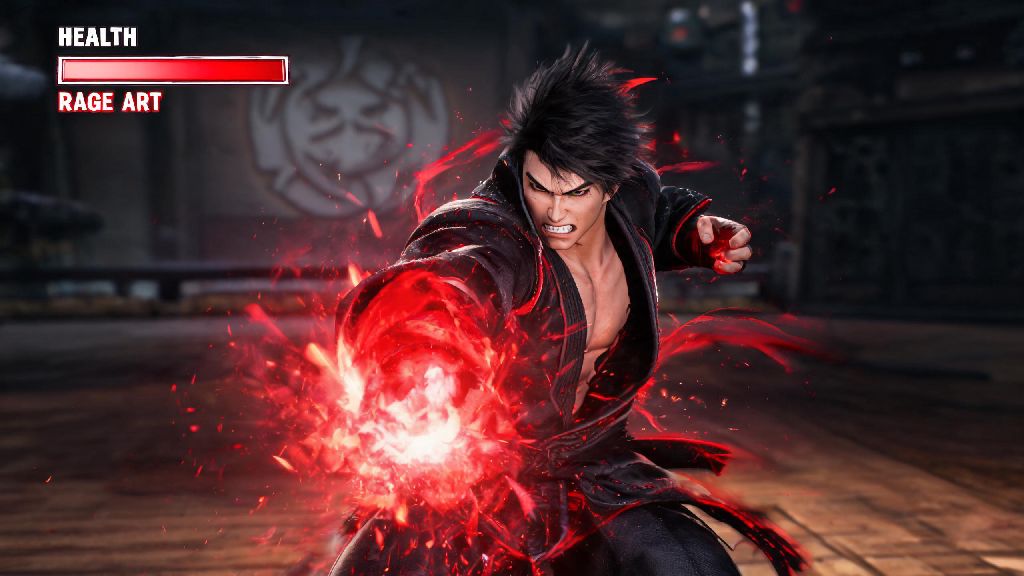
If you’ve ever stared at your screen in frustration after losing a near-won match because you couldn’t figure out how to activate Rage Art in Tekken 8, you’re far from alone. This high-damage comeback mechanic is one of the most satisfying parts of the game, but it’s also one of the most commonly misunderstood by new and intermediate players. Even players with 50+ hours of playtime sometimes fumble the input or waste the move at the worst possible moment. This guide breaks down everything you need to know to pull off Rage Art consistently, and use it to turn losses into wins.
How to Activate Rage Art in Tekken 8: Core Input Rules for All Consoles
Before you even think about pressing buttons, you need to meet one non-negotiable requirement to use Rage Art. Your health must drop to 25% or lower to enter Rage state first. You’ll know you’re in Rage when your health bar flashes bright red, and a small Rage icon pops up next to your character’s portrait in the corner of the screen. If you don’t see that icon, no amount of button mashing will make your Rage Art work.
Once you’re in Rage state, the input for Rage Art is consistent across every character, so you don’t have to learn a new combination for every fighter you try. For PlayStation 5 users, press R1 and R2 at the exact same time. For Xbox Series X/S users, press RB and RT together. If you play on PC with a keyboard, the default input is U and I pressed simultaneously, though you can remap these buttons in the settings menu to fit your playstyle.
It’s normal to fumble the input at first, especially if you’re used to older Tekken games with different Rage Art controls. Rage Art and Rage Drive are completely separate mechanics, so don’t confuse the two: Rage Drive uses a small portion of your Rage meter to buff regular moves, while Rage Art uses the entire meter for a single, high-damage cinematic attack. Most Rage Art deal between 40% and 60% of a character’s total health, so landing one can erase an opponent’s lead in seconds.
Common Mistakes That Stop Your Rage Art From Landing
Even if you press the right buttons, lots of small mistakes can make your Rage Art miss or get interrupted entirely. I can’t tell you how many times I’ve lost ranked matches because I pressed the input too early, or tried to use Rage Art when my opponent was halfway across the stage. These are the most frequent errors players make, and how to fix them:
Another super common mistake is pressing the Rage Art input right as your opponent launches an attack. Most Rage Art have a small 5 to 10 frame startup window where you’re vulnerable to hits, so if your opponent’s attack lands during that window, your Rage Art will get canceled immediately. Don’t activate Rage Art while your opponent is mid-attack – wait for them to finish their move and enter their recovery animation first, so they can’t interrupt you.
You also don’t want to use Rage Art if your opponent is blocking low, or has already started backing away from you. Most Rage Art only hit opponents that are standing within a 1 to 2 character length range, so if they’re already jumping or running away, your move will miss completely, and you’ll waste your only chance at a comeback.
Advanced Tips to Use Rage Art Strategically, Not Just Desperately
Most new players use Rage Art as a last-ditch panic button the second they enter Rage state, but that’s the worst way to use it. If you pop Rage Art immediately, your opponent can easily dodge or block it, and you’ll have no other Rage mechanics left to help you turn the fight around. Instead, treat Rage Art like a tactical tool that you can use to bait your opponent into making mistakes.
For example, you can pretend to go for a standard low punch or kick to make your opponent block low, then immediately activate Rage Art to hit them while they’re stuck in their block animation. I used this trick last week in a ranked match against a high-level Jin player: I faked a low kick, he dropped his guard to block, and my Rage Art landed perfectly, taking him from 55% health to zero in one shot.
Never waste Rage Art on an opponent who still has more than 50% health unless you’re 100% sure they can’t dodge it. If you miss, you’ll lose all your Rage meter, and you won’t have access to Rage Drive buffs that can help you chip away at their health over time. It’s almost always better to save Rage Art for the end of the round, when both you and your opponent are low on health, and one hit can decide the match.
Some characters also have Rage Art with built-in invincibility frames during the startup animation. Characters like Kazuya and Nina have Rage Art that let them dodge incoming attacks right as you press the input, so you can use them to counter big, slow moves like your opponent’s own Rage Art. You can test your main character’s Rage Art in practice mode to see if it has invincibility frames, and learn exactly when you can use it to counter attacks.
How to Practice Rage Art Activation to Build Muscle Memory
The best way to stop fumbling Rage Art inputs during ranked matches is to practice until the movement becomes second nature. You don’t need to spend hours grinding, just 10 minutes a day in practice mode will make a huge difference in how consistently you can pull off the move when it counts.
Start by going into practice mode and adjusting your character’s health to 20% so you’re permanently in Rage state. Then, practice pressing the Rage Art input from different positions: standing still, walking forward, running, and right after you block an attack. Make sure you can press the two buttons at the exact same time, not one right after the other, because delayed inputs will make the move fail.
Spend 10 minutes a day practicing this input, and you’ll never fumble it in a real match again. Once you have the basic input down, you can add the practice of reacting to your opponent’s moves. Set the practice mode AI to attack you with random moves, and practice blocking their attack then immediately activating Rage Art during their recovery window. This will help you learn to spot the right moments to use Rage Art, instead of just pressing it randomly when you’re low on health.
If you play multiple characters, take a minute to test each of their Rage Art speeds and ranges. Some characters like King have slow, long-range Rage Art, while others like Xiaoyu have fast, short-range ones. Knowing how your character’s Rage Art works will help you decide when to use it during a real fight, and avoid wasting it on misses.
Mastering how to activate Rage Art in Tekken 8 is one of the fastest ways to climb the ranked ladder and turn frustrating losses into satisfying comeback wins. You don’t have to be a pro player to pull it off – all it takes is a little bit of practice, and knowing when to use the move instead of spamming it the second you enter Rage state. Next time you’re down to a sliver of health, don’t panic. Wait for the right opening, press the buttons, and watch your opponent’s health bar melt away. You’ll be shocked how many matches you can win that you would have lost otherwise.