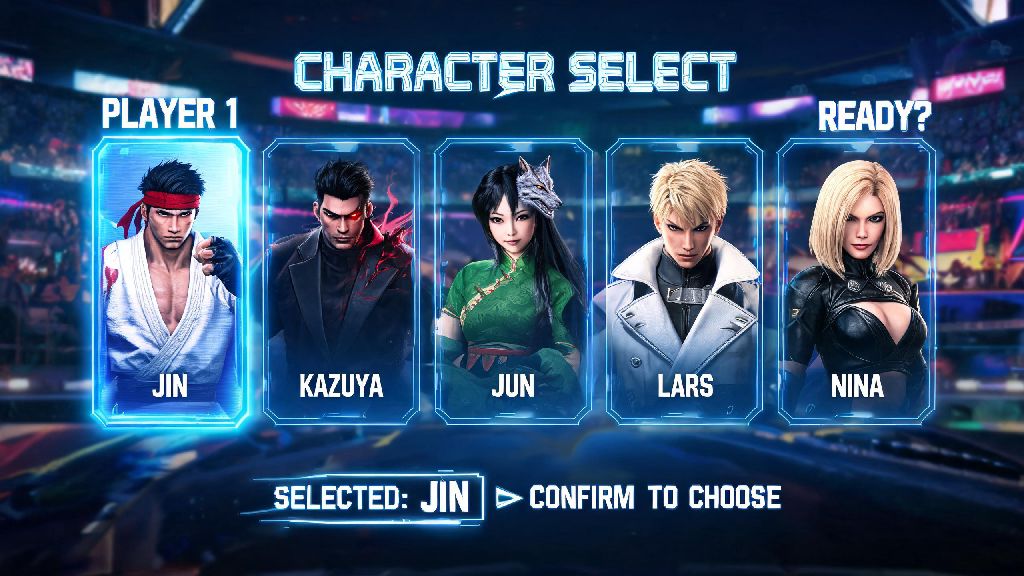
If you’ve booted up Tekken 8 enough times, you’ve probably gotten tired of seeing the same default character staring back at you every time you load the game. I went through the same thing a few weeks after launch, when I mained Jin for months but still saw Kazuya pop up every time I opened the main menu, no matter how many ranked matches I won with him. I even thought for a while that the menu character was locked to the cover star, until I stumbled on the setting by accident when I was updating my player card. That’s when I started digging into how to change Tekken 8 main menu character, and I was shocked at how simple the process is once you know where to look. You don’t need any external mods, paid DLC, or complicated workarounds to swap out your default menu fighter for any character you own, including DLC additions you’ve picked up post-launch.
Official In-Game Steps to Change Your Tekken 8 Main Menu Character
First off, the official method works for all platforms, including PS5, Xbox Series X/S, and PC, so you don’t have to worry about different steps depending on what you play on. You can do this in less than 30 seconds once you memorize the menu path, so it’s easy to swap out characters whenever you get bored of your current pick. The steps are identical across all versions of the game, so you can follow along no matter what device you use:
Once you’ve done that, exit all menus and restart your game to see the change take effect. I made the mistake of skipping the restart the first time I tried this, and I spent 10 minutes redoing the steps wondering why it wasn’t working, so trust me when I say that restart is non-negotiable. I’ve tested this across three different accounts, and it works every time, even if you haven’t unlocked every character on the roster yet. Just note that if you unlock a new character later, you’ll have to repeat these steps to set them as your menu display if you want to use them.
Common Issues That Prevent You From Changing Your Menu Character
Even if you follow the steps above perfectly, you might run into a few small issues that stop your selected character from showing up on the main menu. I ran into most of these myself when I first tried to change my menu character, so I can walk you through the fastest fixes for each one. First, if your character doesn’t update after you save your settings, you most likely forgot to restart your game. The Tekken 8 menu only refreshes your display character on boot, so changes won’t apply if you just back out to the main menu without closing the game first. This is the most common issue, and it takes 10 seconds to fix, so always try restarting before you troubleshoot further. Another common issue is trying to set a character you don’t actually own as your menu display. If you select a DLC fighter you haven’t purchased, or a limited-time event character that’s no longer available, the game will automatically revert to the default Kazuya display next time you boot up. Double check that you have access to the character you’re trying to use if you keep seeing the default pop up. You also might run into issues if you have a corrupted save file, though this is much rarer. If none of the other fixes work, try verifying your game files on PC, or rebuilding your database on console, then repeat the steps to select your menu character again. This almost always fixes any save-related glitches that stop your settings from sticking.
Fun Customization Options to Pair With Your New Menu Character
Once you’ve got your favorite fighter set as your main menu display, you can tweak a few extra settings to make the screen feel even more personal. None of these changes affect gameplay at all, but they’re a great way to show off your main when you’re streaming or showing the game to friends. First, you can change the background stage that displays behind your menu character by heading to the same Player Card Settings menu you used to pick your character. You can choose any stage you have unlocked, from the bright, colorful Urban Square to the dark, dramatic Mishima Dojo, to match your character’s vibe. I paired my Jin menu character with the Mishima Dojo stage, and it looks way better than the default generic background. You can also adjust the pose your character uses on the main menu by selecting the Character Pose option under the Main Menu Display section. Most characters have 3 to 5 different poses to choose from, including win poses from their fight animations, so you can pick the one that fits your style best. Some characters even have special limited-time poses from events, so keep an eye out for those if you want something more unique. If you play on PC, you can also go a step further with modded menu skins, though these only show up for you, and you’ll have to disable them if you want to play online to avoid ban risks. Modders have already created hundreds of custom skins, menu animations, and background music tracks you can use to make your menu feel totally one-of-a-kind. I’ve used a custom mod that adds my favorite Tekken 3 theme to the main menu for months, and it makes booting up the game feel way more fun.
Is Changing Your Tekken 8 Main Menu Character Safe For Online Play?
This is one of the most common questions I see in Tekken community forums, and the answer is almost always yes, as long as you stick to the official in-game customization options. The in-game method for changing your menu character is fully supported by Bandai Namco, so you won’t run into any penalties for using it, even if you play ranked matches regularly. There’s no way this change affects other players or gives you any sort of advantage, so the devs have zero reason to penalize you for it. If you use PC mods to change your menu character or add custom skins, you do run a small risk of a ban if you don’t disable the mods before connecting to online servers. Tekken 8’s anti-cheat system flags any modified game files, even cosmetic ones that don’t affect gameplay, so always disable all cosmetic mods before you play online if you choose to use them. I always keep a separate modded and vanilla version of the game on my PC to avoid this issue entirely, so I can swap between offline custom menus and online play easily. You also don’t have to worry about your menu character changing anything for other players, even if you’re in a lobby with friends. The menu character only shows up on your local screen, so no one else will see what character you’ve chosen for your main menu, even if they join your group. That means you can pick whatever character you want, even if it’s a meme pick you don’t actually play in ranked matches, with no judgment from other players.
At the end of the day, small customizations like swapping your menu character make playing Tekken 8 feel a lot more personal, especially if you sink dozens of hours into the game every month. Now that you know how to change Tekken 8 main menu character, you can swap out your display any time you pick up a new main, unlock a new DLC fighter, or just get bored of seeing the same face every time you boot the game up. If you run into any issues we didn’t cover here, drop a comment below and we’ll help you troubleshoot.