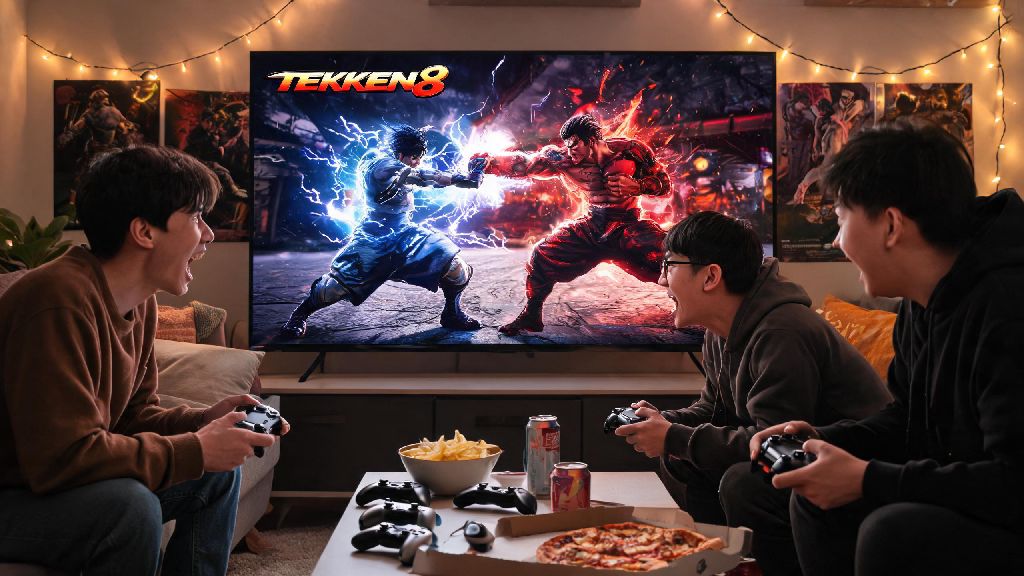
You just grabbed Tekken 8, spent hours practicing your Jin combos in training mode, and now you’re dying to show off your skills against the friend who’s been trash talking you all week. If you’re not sure how to fight friends in Tekken 8, you’re not alone—many new players get confused by the menu layout and different play options, especially if they’re used to older entries in the franchise. I’ve had way too many game nights delayed by 20 minutes of everyone staring at the menu trying to figure out how to start a match, so I’ve tested every possible setup to make this guide as foolproof as possible. We’ll walk you through every possible way to go head-to-head with your pals, no matter if you’re sitting on the same couch or playing from opposite sides of the country. We’ll also throw in some fun tips to keep your sessions friendly (or as competitive as you want them to be) without any frustrating technical hiccups.
How to Fight Friends in Tekken 8: All Play Mode Options
Tekken 8 comes with three core ways to play against people you know, each built for different group sizes and situations. You don’t have to stick to just one, either—most friend groups switch between modes depending on if they’re meeting up in person or hanging out virtually. Before you pick a mode, figure out how many people are playing, if everyone is in the same room, and how competitive you want your sessions to be.
Each mode has its own small setup steps, but none of them take more than a minute to launch once you know where to look in the menu. You don’t need a PlayStation Plus or Xbox Live Gold subscription to play local versus, which is a big win for casual players who don’t pay for online services. If you plan to play online, you’ll only need that subscription if you’re on PlayStation or Xbox—Steam PC players get free online access with no extra fees.
Step-by-Step Setup for Local Couch Play
Local versus is the most common mode for game nights and in-person hangouts, but it’s also the option most new players miss on the main menu. To start, boot up Tekken 8 and make sure all your controllers are paired to your device before you open the game, to avoid connection issues later. Head to the main menu, select the “Offline” tab, then choose “Versus” from the dropdown list of options. You’ll see a “Player Match” option on the next screen—select that, then assign each connected controller to Player 1, Player 2, or any extra slots you have for people waiting to rotate in.
From there, you can pick your characters, choose your preferred stage, and adjust match rules before you start playing. If you want to play with team battle rules for larger groups, you can toggle that in the rule settings before starting the match—that lets you pick 3 to 5 characters per player for longer, more dynamic fights where one bad round won’t knock you out entirely. If a controller isn’t showing up in the assignment menu, unpair it from any other devices it’s connected to, and restart the game if the issue persists. PC players should also make sure their controller drivers are up to date to avoid input lag mid-fight.
Setting Up Online Matches and Private Lobbies With Friends
If you can’t meet up in person, online play is the easiest way to fight your friends whenever you have free time. For a quick 1v1 match, head to the “Online” tab on the main menu, select “Player Match”, then choose “Invite Friend”. You’ll see a list of friends on your platform who own Tekken 8, send them an invite, and once they accept, you can pick your characters and jump right into a fight. Once you get the hang of the menu flow, you’ll be able to jump into a match in under a minute, which means more time fighting and less time scrolling through settings when you’re figuring out how to fight friends in Tekken 8 online.
If you’re playing with a group of more than two people, custom lobbies are the best option. Go to the Online tab, select “Custom Lobby”, then choose “Create Lobby”. You can set it to private, add a password if you want to keep random players out, and set match rules to whatever your group prefers—best of 3 rounds, best of 5 sets, team battle, even auto-generated tournament brackets for more competitive sessions. You can adjust the lobby’s spectator settings to let players who are waiting their turn watch the ongoing matches, which makes the whole session feel more like a real arcade gathering. If you’re experiencing lag during online matches, make sure all players have a wired internet connection if possible, and turn off cross-play if you’re all on the same platform to reduce latency.
Tips to Keep Your Friend Matches Fun and Low-Stress
Fighting games can get competitive fast, and it’s easy for friendly trash talk to turn into real frustration if you don’t set small ground rules first. If you’re playing with newer players, don’t spam unblockable moves or one-hit KOs over and over—take a minute to teach them basic combos if they ask, so everyone feels like they have a chance to win at least a round or two. You can also mix up your match rules to keep things silly and low-stakes: for example, everyone has to play a character they’ve never used before, or you can only use kicks for the entire match.
You can save replays of your best fights to share with the group later, or to study if you want to get better at countering your friend’s go-to combo. If you want to make sessions more rewarding, set small, silly stakes for the loser, like buying the group snacks next game night or picking the next game you all play. If someone is getting visibly tilted, take a 10 minute break to grab drinks or stretch before jumping back in—there’s no prize for winning a friend match if no one is having fun anymore.
At the end of the day, figuring out how to fight friends in Tekken 8 is only half the fun—the other half is the memories you make pulling off insane combos, laughing at messy round losses, and trash talking each other between matches. Whether you’re playing locally on your couch during a weekend game night, or hopping into an online lobby with friends who live across the world, the setup process is simple once you know where to look in the menu. Don’t be afraid to mix up your rules or try silly character combinations to keep things fresh, and remember that the point of friend matches is to have fun, not to take every round too seriously. Next time you’re itching to test your skills against the people you know, you’ll be able to jump right into a match without any frustrating menu confusion.